
Service location & mobile
Choose your service location
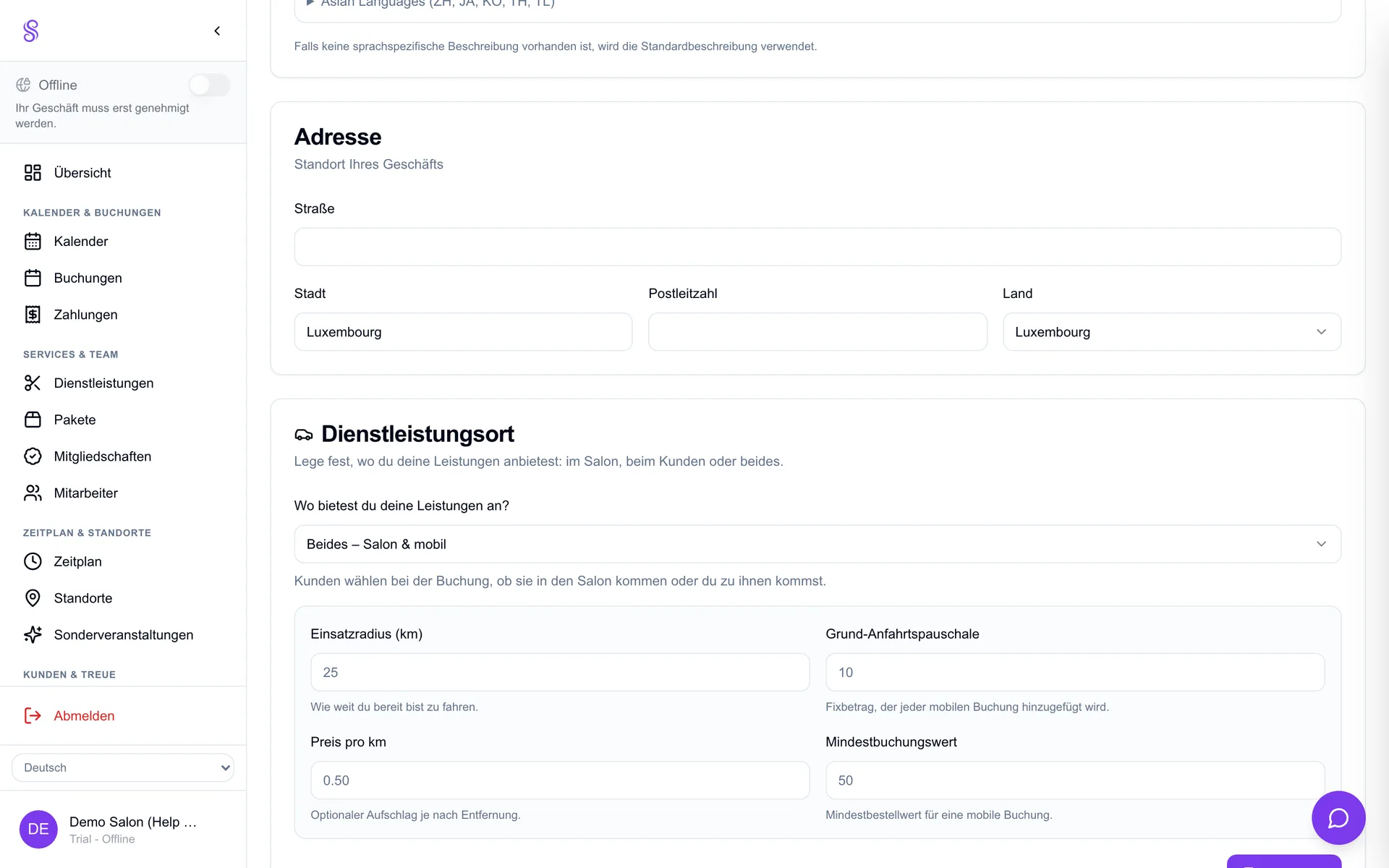
Your service-location mode tells Salonify how you work — at the salon, mobile (you travel to the customer), or hybrid — and that single choice reshapes the whole booking flow, including what address details customers are asked for. Set it before going live so customers see the right options.
How to set it up
- 1
Open Settings → Service location
Find the Service location setting in the dashboard.
- 2
Pick your mode
Choose At the salon, Mobile, or Hybrid.
- 3
Configure address handling
For mobile/hybrid, decide what address info customers must provide at checkout.
- 4
Save
Your booking page now matches how you actually operate.
Good to know
- Hybrid is ideal if you split time between salon and home visits.
- Mobile mode unlocks the radius and travel-fee settings.
- Get this right first — it shapes every downstream setting.